Run every shop from one place, even when the power goes.
Sevo is the point of sale, stock, purchasing, accounts and payroll system for growing retailers, with AI that tells you what to reorder and what to mark down. Sell offline, sync later, close your books without re-keying a single receipt.
Simple enough for the counter. No ERP or accounting knowledge needed.
- Works through power cuts
- Sinhala · Tamil · English
- Data in AWS Singapore
- No card to start
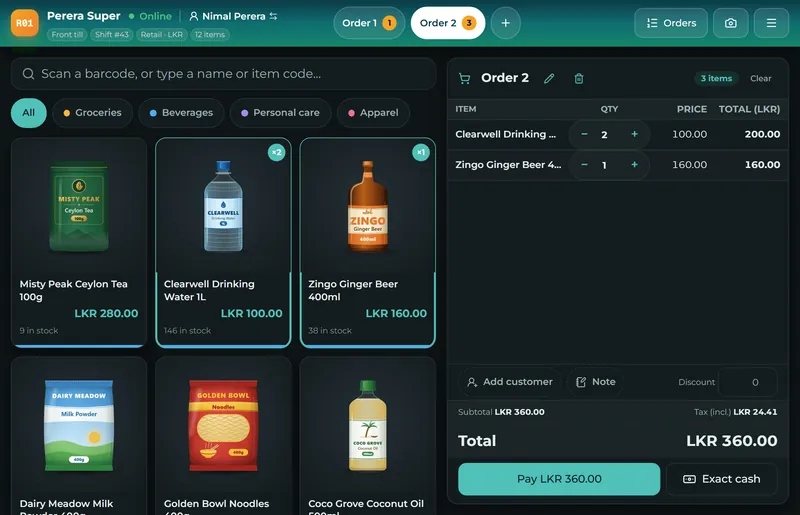
Simple enough for the counter. No ERP experience needed.
Many ERP systems are built for accountants and consultants. Sevo is built for the people behind the counter: plain words, a few taps, and the numbers take care of themselves. If you can run a shop, you can run Sevo.
Try it free for 14 daysReady in minutes
Your company opens with sample products, a till and sales to explore. When your own products are in, the samples go in one step.
A till learned in minutes
Pictures of your products, big buttons and the change in large type. A new cashier is selling after a short walk-through.
Books that keep themselves
Sales, purchases, payments and payroll post to the accounts on their own. No journals to write, no debits and credits to learn.
Help on every screen
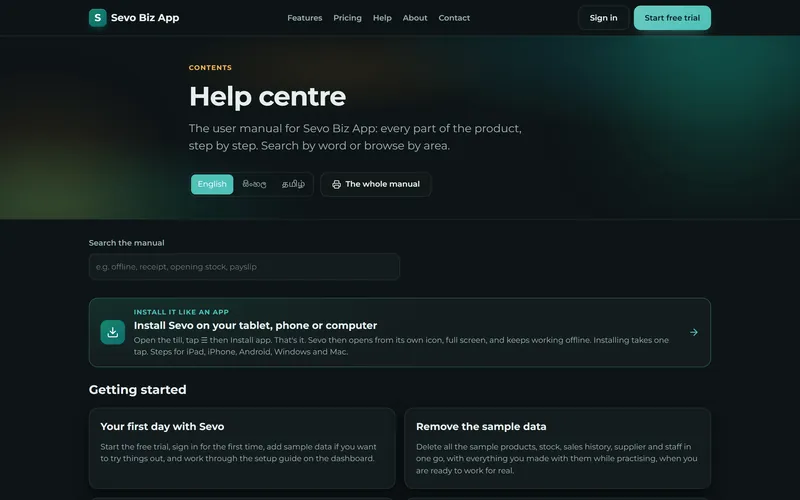
A step-by-step manual is built in, in English, Sinhala and Tamil, and it searches as you type.
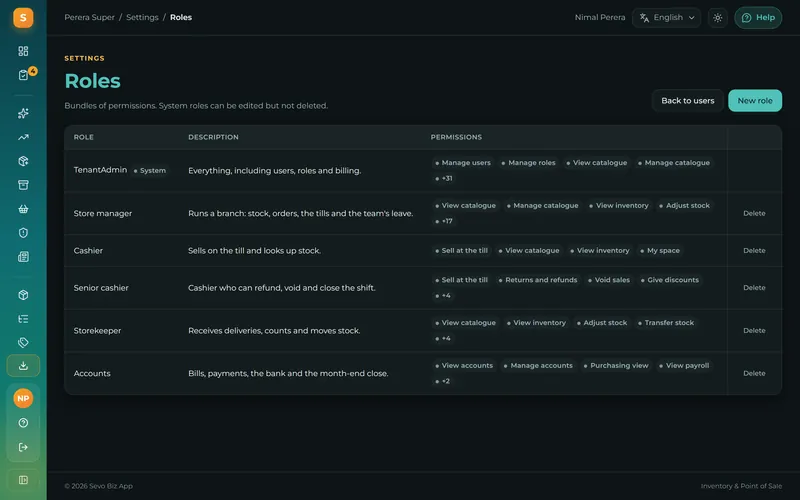
Only what each person needs
A cashier sees the till, a storekeeper the stock, the accountant the books. Each role shows only the screens it allows.
A till that never stops
Sell through power cuts and dead Wi-Fi. Every sale is saved on the device first and synced when the line is back - no duplicates, no lost receipts.
Read moreStock you can trust
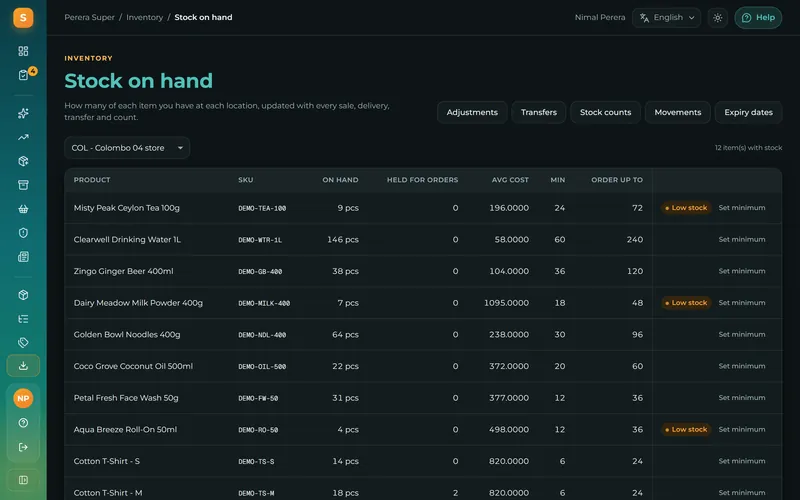
One movement ledger for every location: receipts, transfers, counts and adjustments, with moving-average cost on every item and low-stock alerts.
Read moreBooks that write themselves
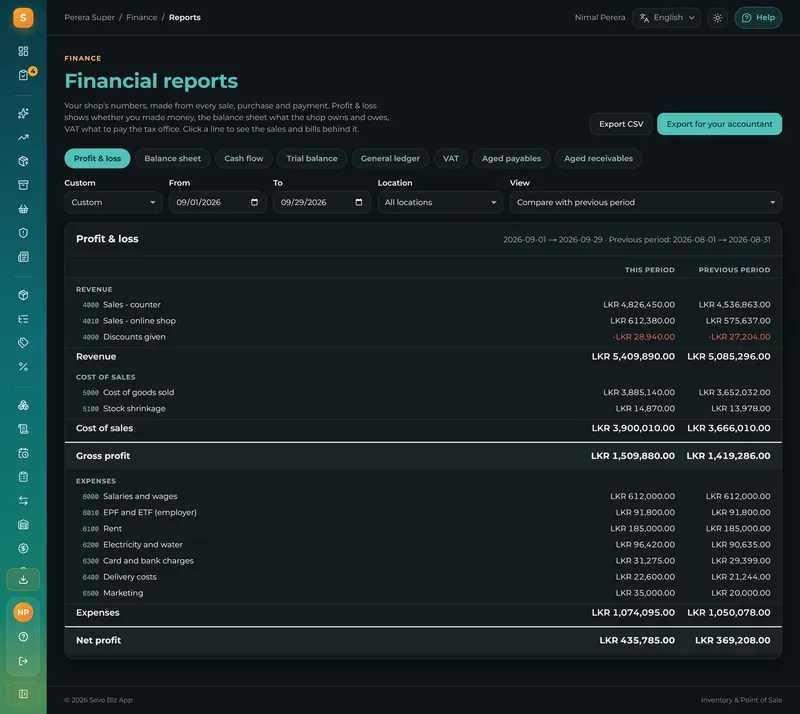
Sales, purchases and payments post to a real double-entry ledger as they happen. Trial balance, P&L, cash flow and bank reconciliation - no re-keying.
Read moreInsights that tell you what to do
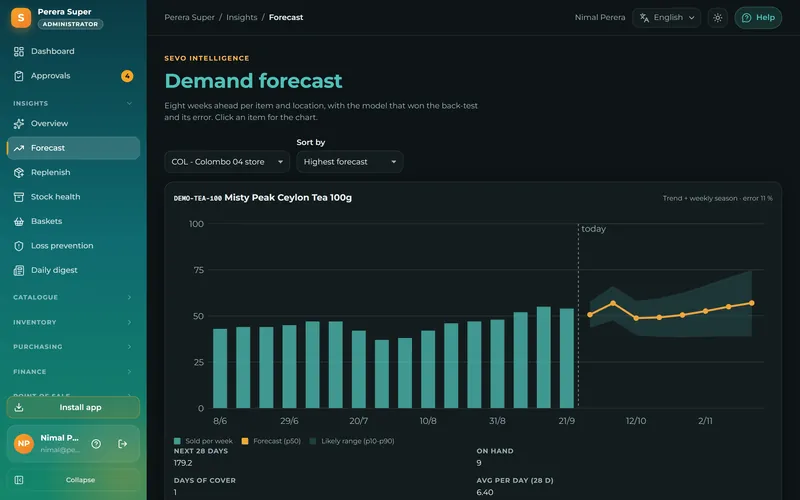
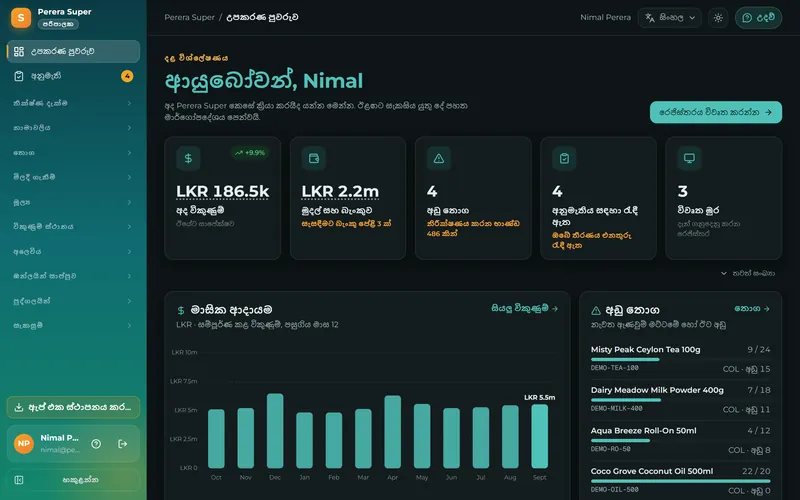
Demand forecasts per item and shop, reorder suggestions with quantities, slow-stock markdowns, basket pairs and a daily digest of what changed.
Read moreEverything a shop runs on, in one place
10 areas, 94 real screens. Pick one to see every feature in it.
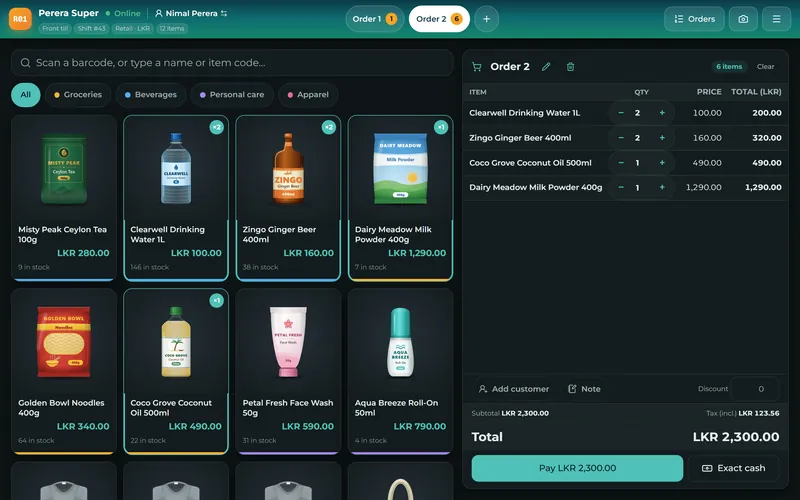
- Point of sale14 screensA till that keeps selling, whatever the power does
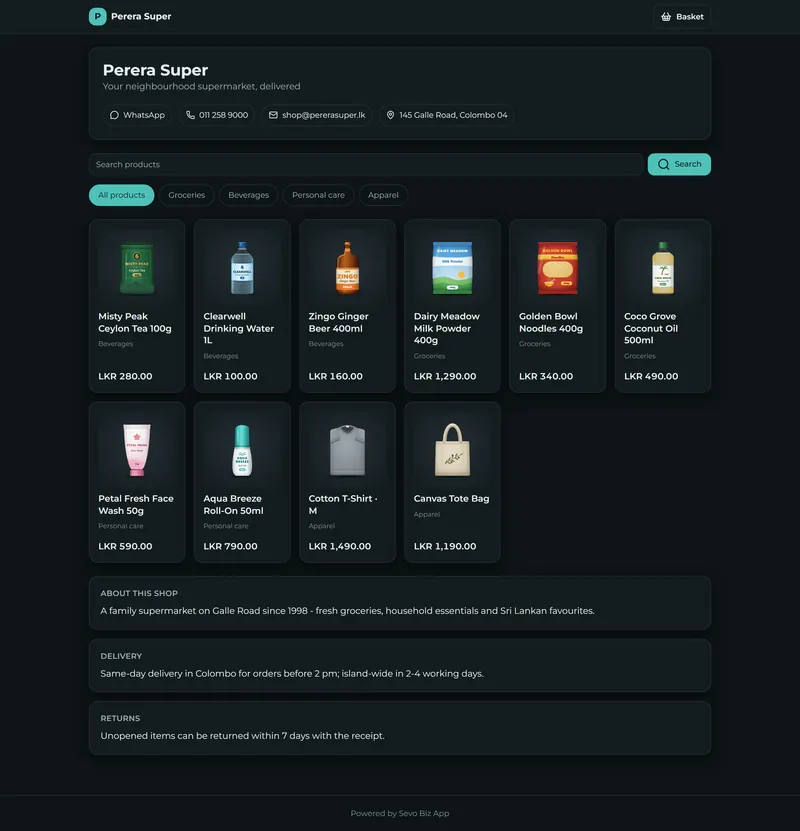
- Online shop7 screensAn online shop that sells from the same shelves
- Stock16 screensProducts and stock you can trust
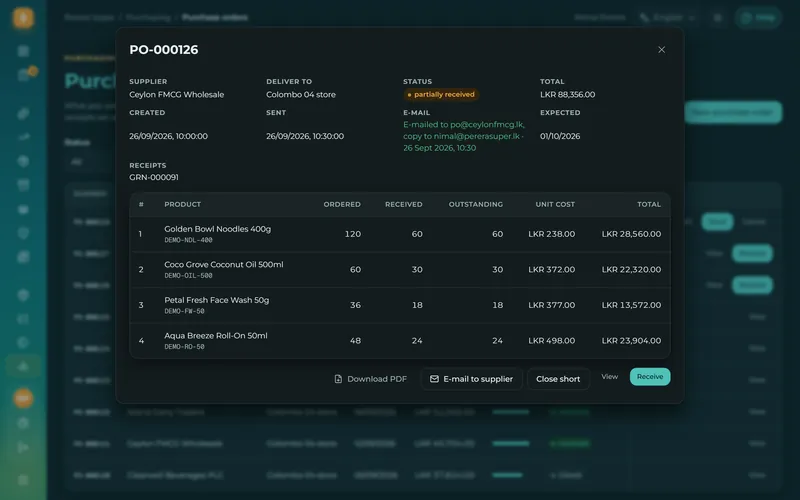
- Purchasing7 screensPurchasing, from the order to the supplier's credit
- Finance and VAT20 screensReal accounting, written as you trade
- AI insights8 screensAI that tells you what to do next
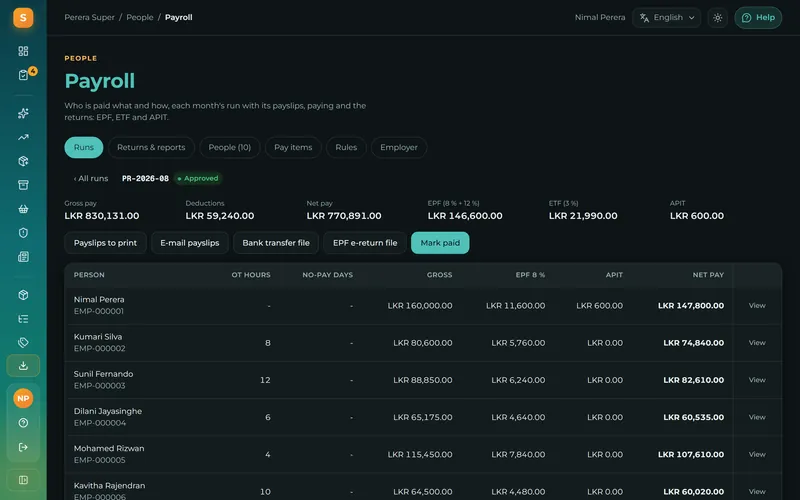
- HR and payroll7 screensStaff, leave, rosters and a Sri Lankan payroll
- Languages3 screensSinhala, Tamil and English, on every screen
- Security5 screensRoles, approvals and an audit trail
- Setup and help7 screensUp and running in an afternoon, with help on every screen
Built for the counter, not for a desk
The till is the part your staff touch a hundred times a day, so it is the part we made fastest.
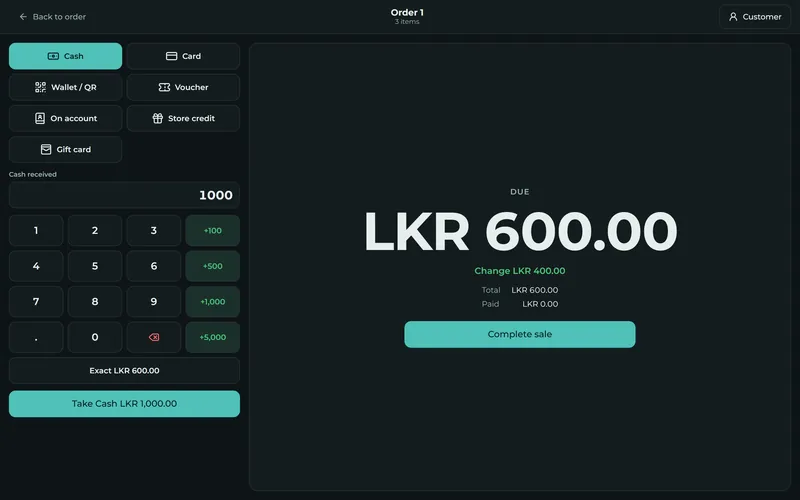
Cash counted the way a cashier counts it
Tap the notes the customer hands over - 100, 500, 1,000, 5,000 - and the change is impossible to misread from a metre away. Card, wallet and split payments take one extra tap.
- A numpad built for fingers, not a mouse
- Change and balance in large type
- Split one bill across payment methods
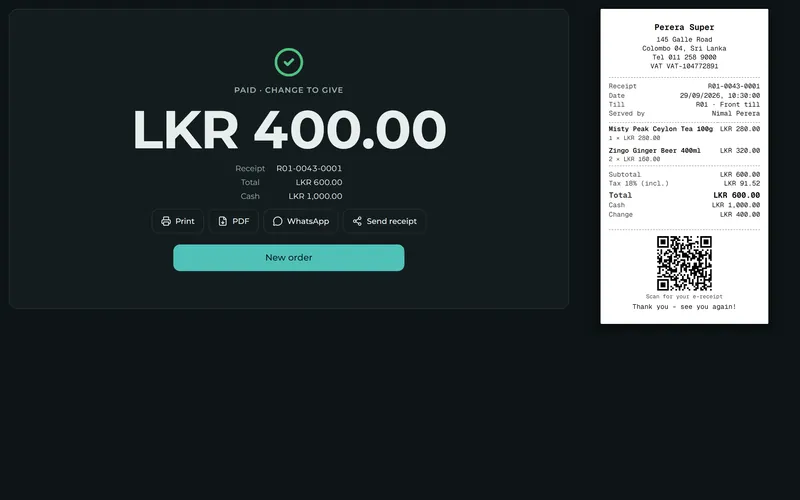
Receipt printed, sent, or both - then the next customer
Your shop's name, address and tax number on every receipt, with a QR code to a digital copy the customer keeps. Send it on WhatsApp without paying for messages.
- 80 mm and 58 mm thermal printing
- A digital receipt with its own link
- The next order is one tap or one key away
Install it like an app, on any tablet, phone or computer
Open the till, tap ☰ then Install app. That's it.
On Chrome and Edge it installs in one tap, on Android, Windows or Mac. On an iPad or iPhone the same button shows the three steps. Sevo then opens full screen from its own icon and keeps selling when the internet is down.
- Full screen, no address bar
- Opens from its own icon
- Keeps selling offline
- Keeps its offline data safe
Or install it from the browser
- iPad or iPhoneSafari
- Share
- Add to Home Screen
- Add
- AndroidChrome
- Menu ⋮
- Install app
- Install
- WindowsEdge or Chrome
- Install icon in the address bar
- Install
Then right-click its taskbar icon and choose Pin to taskbar.
- MacSafari
- File
- Add to Dock
- Add
In Chrome or Edge, the same as on Windows.
Firefox cannot install apps on a computer: use Edge or Chrome there.Read the install guide
Insights that know Sri Lanka
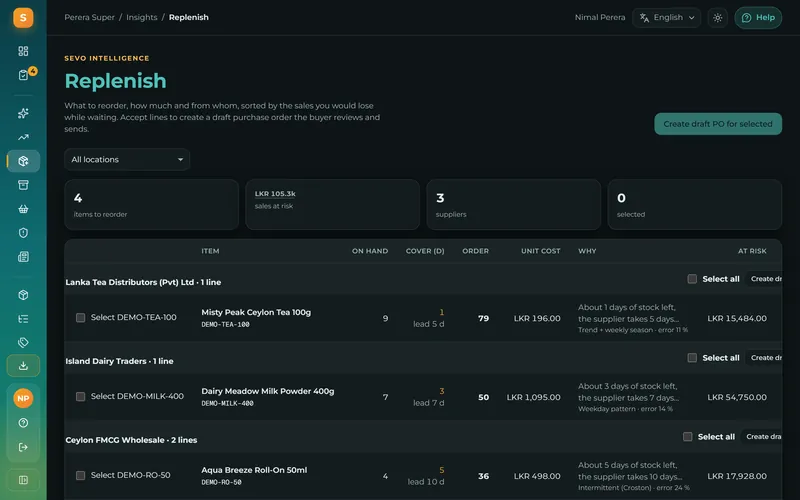
Forecasts account for Poya days, public holidays and salary weeks. Every recommendation says why it was made and what it is worth - accept it and a purchase order is drafted; dismiss it and the model learns.
- Weekly demand forecast per item and shop
- Reorder quantities with supplier and lead time
- Slow-stock markdowns and the capital tied up
- Void, refund, discount and cash-shortage alerts per cashier
- A morning digest of yesterday and today's decisions
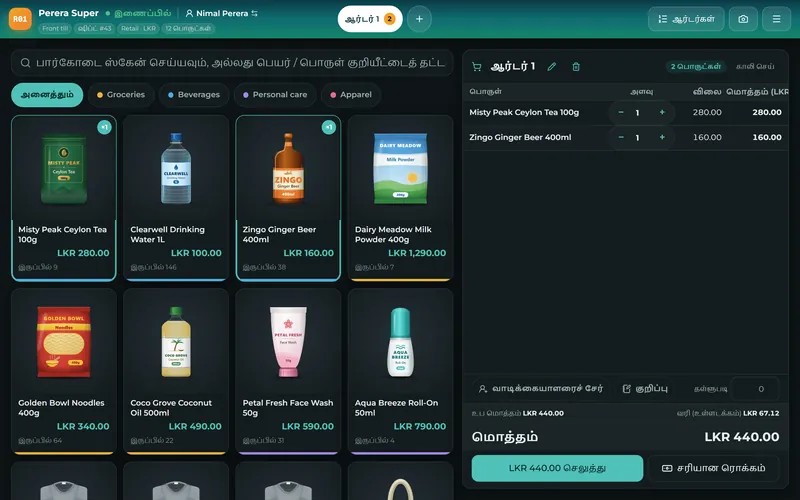
සිංහල, தமிழ் and English, on every screen
Each person picks their own language and can switch with one tap. The till, the back office, receipts, payslips and the manual all follow.
Up and running in an afternoon
No implementation project, no consultants. Start with sample data, replace it with yours when you are ready.
Start a trial
Enter your business name and e-mail. Your company is ready in a minute, with sample products and a till to try.
Bring your data
Import products and prices from the CSV template, post your opening stock, add your shops and users.
Sell and see
Sell at the till, receive stock, and watch the books and Insights fill up on their own.
See it with your own products
Your company is ready in a minute, with a till and sample data to explore. Nothing to install at the shop - a browser is enough.