In short
- A desktop POS is installed on one shop computer and keeps the data there; a cloud POS keeps the data online and runs in a browser or app on any device.
- Desktop POS works without internet but the owner cannot see sales remotely, backups are your job, and each extra till or branch is another licence.
- Cloud POS lets you see every branch from anywhere, keeps data safe if a device breaks and updates itself, but a cloud-only POS stops when the internet does.
- The best choice for most shops today is a cloud POS that also works offline: remote access and safety of the cloud, without stopping the queue when the connection drops.
The difference in one paragraph
A desktop POS (also called on-premise or offline POS software) is a program installed on a computer in the shop; the products, sales and customers are stored in a database on that computer or a small server next to it. A cloud POS (also called web-based or SaaS POS) stores the data in a secure data centre and is used through a browser or an app on any computer, tablet or phone. One lives in the shop; the other lives online and visits the shop.
Side by side
| Desktop POS | Cloud-only POS | Cloud POS that works offline | |
|---|---|---|---|
| Sells without internet | Yes | No | Yes |
| Owner sees sales from home | No (or with an add-on) | Yes | Yes |
| Data if the shop computer breaks | Lost unless backed up | Safe | Safe |
| Updates and new tax rules | Installed by hand, often paid | Automatic | Automatic |
| Extra till or branch | Another licence and setup | Add a device | Add a device |
| Runs on | Usually one Windows PC | Any device with a browser | Any device with a browser |
| Typical pricing | One-time licence + support | Monthly or yearly plan | Monthly or yearly plan |
When a desktop POS still makes sense
- A single shop with one counter that will never add a till or a branch.
- Someone reliable takes a backup every day and keeps it away from the shop.
- The owner is always in the shop and does not need to see sales remotely.
- There is truly no internet available, ever (rare today, since even a phone hotspot is enough for a cloud POS to sync).
When a cloud POS is the better choice
- You want to check today's sales, cash and stock from home, from another branch or while travelling.
- You have, or plan, more than one till, shop or warehouse, and want one set of products and prices for all of them.
- You do not want to lose years of sales and customers when a hard disk dies or a laptop is stolen.
- You want new features and tax changes without calling a technician.
- You want your accountant to see the books without visiting the shop.
The catch with cloud-only POS, and the fix
The weakness of a cloud-only POS is obvious in a power or internet cut: if the till cannot reach the server, it cannot sell. The fix is a cloud POS designed to work offline: it keeps what it needs on the device, saves each sale there and sends everything when the connection returns. You get the remote access and safety of the cloud with the reliability of a desktop. Our offline POS guide shows how to test it in five minutes.
Security and your data
A common worry about the cloud is "who can see my data?". Ask any cloud vendor where the data is stored, whether it is encrypted, how each company's data is kept separate from others, who on their side can access it, and whether you can export everything if you leave. A desktop POS has its own risks: a shared shop computer, no password, no off-site backup. Neither is safe by default; ask the questions.
How to decide in five questions
- Do you need to see sales when you are not in the shop? If yes, choose cloud.
- Will you add a till, a branch or an online shop in the next two years? If yes, choose cloud.
- Does your internet or power drop during business hours? If yes, make sure it works offline.
- Who will take and test backups every day? If nobody, choose cloud.
- What is the five-year cost of each option for your shop? See POS system price in Sri Lanka.
Where Sevo Biz App stands
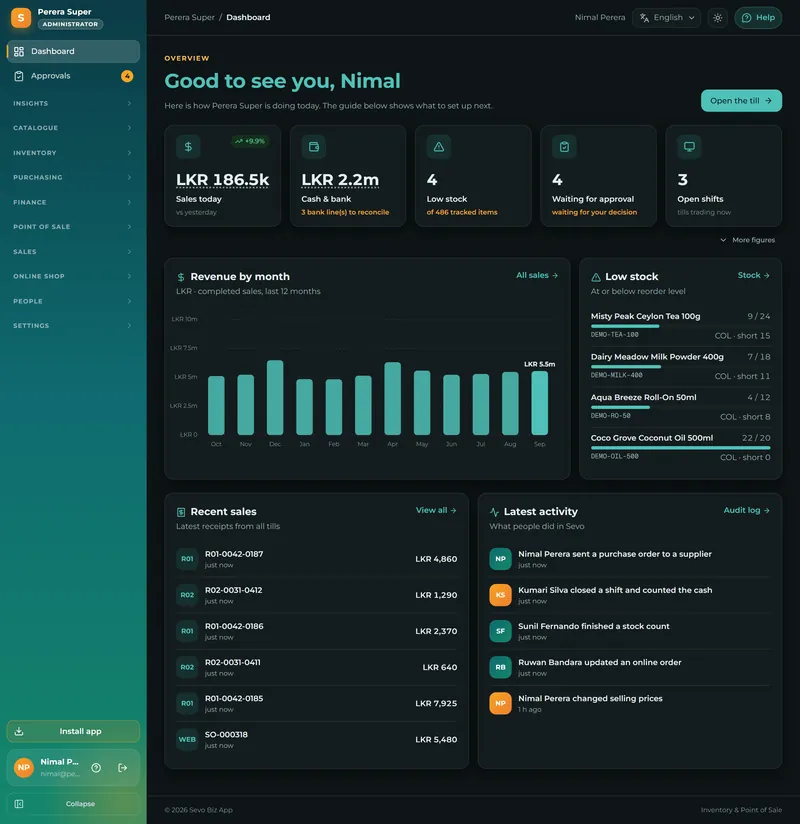
Sevo Biz App is a cloud POS that works offline. The till runs in a browser on a computer, tablet or phone (and can be installed like an app), keeps selling without internet and syncs when the connection returns. The data is kept in AWS data centres in Singapore, each company's records are separated at the database level, and your books can be exported for your accountant (CSV or Tally) at any time. Plans start at Rs 900 a month: see pricing.
Questions and answers
What is the difference between a cloud POS and a desktop POS?
A desktop POS is installed on one shop computer and stores data there. A cloud POS stores data online and runs in a browser or app on any device, so the owner can see sales from anywhere and data is safe if a device breaks.
Is a cloud POS safe?
A well-run cloud POS is usually safer than a shop computer: data is encrypted, backed up and kept in a professional data centre. Ask the vendor where data is stored, how it is separated from other companies and how you can export it.
What happens to a cloud POS when the internet goes down?
A cloud-only POS stops selling. A cloud POS built to work offline, such as Sevo Biz App, keeps selling and sends the sales when the connection returns.
Is a cloud POS more expensive than a desktop POS?
Not necessarily. Cloud POS is paid monthly or yearly; desktop POS is a larger one-time payment plus updates and support. Over five years a low-cost cloud plan can cost less. Compare the full five-year cost.