In short
- A grocery or supermarket POS must be fast at the counter (barcode scanning, quick search, weighing-scale labels) and careful behind it (stock, expiry dates, supplier orders).
- Loose goods are sold by weight: a label-printing scale puts the weight or price inside a barcode that the POS reads like any other.
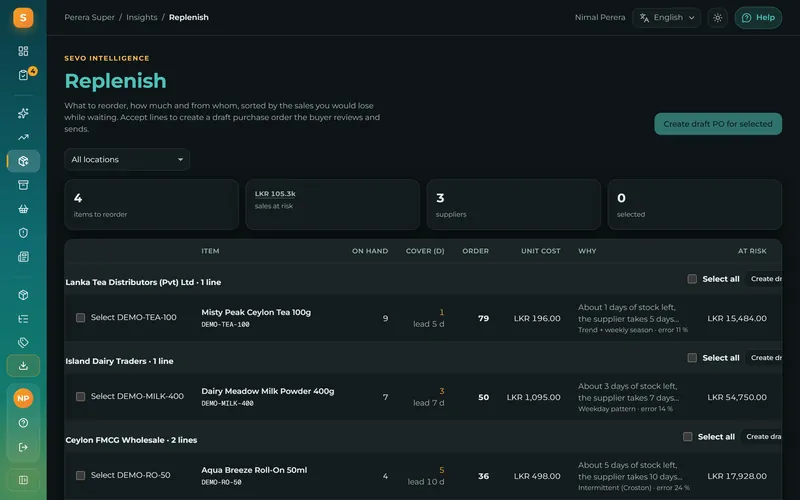
- The biggest savings come from stock: reorder suggestions from real sales, expiry dates so old stock sells first, and purchase orders that update stock when the goods arrive.
- For a busy checkout, add a customer display, a second till and offers that apply themselves (buy 2 get 1, happy hours, loyalty points).
A fast checkout
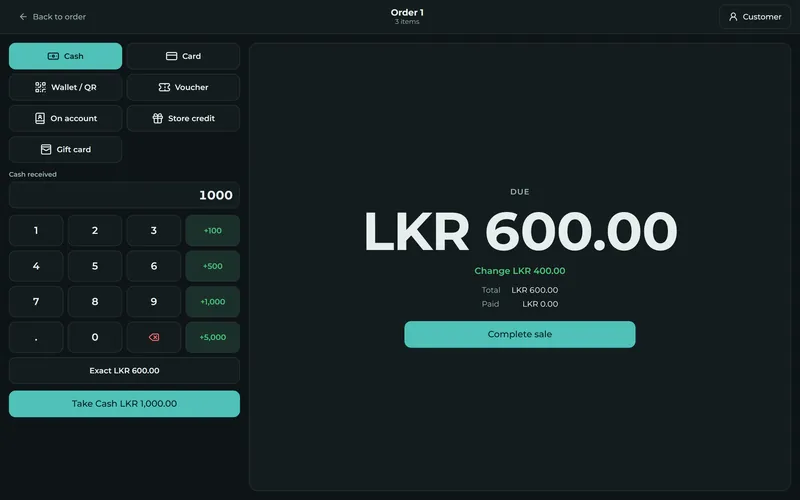
At a grocery counter every second counts. The cashier should be able to scan a barcode and hear the beep, type a few letters to find an item without a barcode, change the quantity with one tap and take cash, card or LankaQR without leaving the screen. Common mistakes are expensive at volume, so the POS should warn about an unknown barcode instead of guessing.
Selling by weight: scales and labels
Vegetables, meat, fish, bakery items and dry goods are often sold by weight. The usual way is a label-printing scale: the item is weighed, the scale prints a sticker with a barcode that contains the product code and the weight or the price, and the POS reads the barcode at the counter. Your POS must know your scale's label format (the prefix and where the weight or price sits in the code); ask the vendor to test it with your scale.
Packs, units and cases
Groceries buy in cases and sell in units: a case of 24 soft drinks, a pack of 10 soap bars, rice by the kilo or in 5 kg bags. A good POS lets you buy in one unit and sell in another, sell the same item as a single or a pack with its own barcode and price, and keeps the stock right in both.
Expiry dates and batches
Food, medicine and cosmetics expire. Record the expiry date when the goods arrive, and let the POS warn you about stock that is about to expire, suggest which batch to sell first, and stop or ask for approval before an expired item is sold. Recording waste and expired write-offs keeps the stock value honest.
Stock, reorders and suppliers
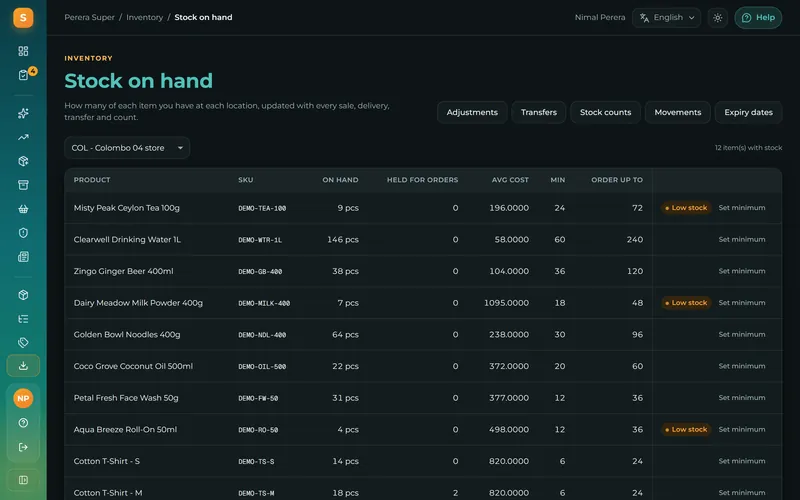
- Live stock that goes down with every sale and up with every delivery.
- Minimum levels and reorder suggestions based on what really sells, so you order before the shelf is empty and not too much of what sits.
- Purchase orders sent to suppliers, and goods received that update stock and the cost price.
- Stock counts that compare what is on the shelf with what the system expects, and adjust with a reason.
- Transfers between a store room, branches and the shop.
Offers, loyalty and customer accounts
Supermarkets live on offers: buy 2 get 1 free, a percentage off a category, a fixed price for a bundle, a happy hour. Set them once and let the POS apply them automatically at the counter, so cashiers do not calculate. Loyalty points bring customers back, and customer accounts (credit) let trusted customers pay at the end of the month, which is common in Sri Lankan neighbourhood shops.
Labels, prices and price changes
Print barcode labels for items that arrive without one, and shelf labels when prices change. With prices that change often, a POS that keeps one price list for all tills (and branches) avoids the classic problem of the shelf showing one price and the till charging another.
How Sevo Biz App supports groceries and supermarkets
Sevo Biz App covers the full list: barcode scanning with a scanner or the camera, weighing-scale labels with your scale's format, units, packs and cases, expiry dates with warnings and an approval before an expired item is sold, minimum levels and reorder suggestions from real sales, purchase orders and goods received, stock counts and transfers, label printing, offers and loyalty, customer accounts and a customer display. The till keeps working offline. Starter (Rs 900 a month) covers one shop and one till; Growth (Rs 2,900) covers three tills. Start a free trial with your own products: you can import them from a spreadsheet. See Sevo for supermarkets.
Questions and answers
What is the best POS for a grocery shop?
One that scans barcodes quickly, reads your weighing scale's labels, tracks stock and expiry dates, suggests reorders from real sales and keeps working when the internet drops. Test it with your own products and scale before deciding.
Can a POS read weighing scale labels?
Yes, if it supports your scale's label format. The scale prints a barcode with the product code and the weight or price; you set the format once in the POS and it reads those labels like any barcode.
Can a POS track expiry dates?
A good grocery or pharmacy POS records expiry dates when stock arrives, warns about items close to expiry and can stop or require approval before an expired item is sold.
Can I import my products into a POS from Excel?
Most cloud POS systems, including Sevo Biz App, import products from a CSV file saved from Excel or Google Sheets, with a template that shows the columns.